
My Calendar views
My Calendar has four views: Day, Week, Month and Agenda. Click a view button at the top of the calendar to switch.
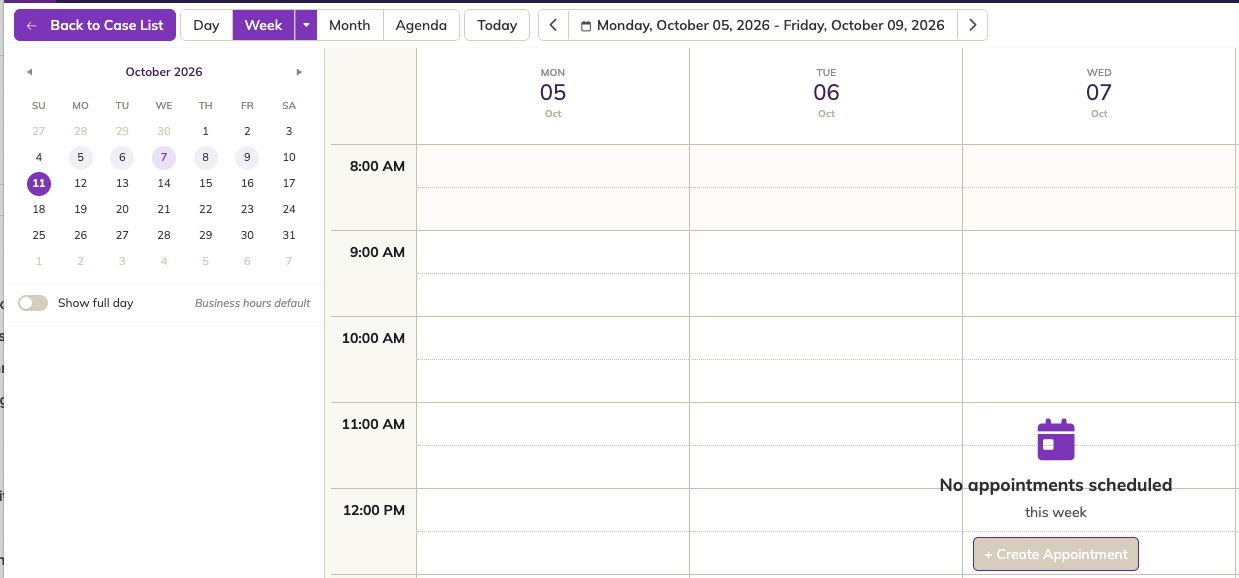
Week view
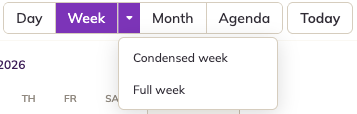
Click the arrow next to Week to choose how much of the week to show:
- Condensed week: Monday to Friday. This is the default.
- Full week: all seven days, Monday to Sunday.
Agenda view
Agenda is a list of your upcoming appointments, grouped into Today, Tomorrow, This Week, Next Week and Later. Each appointment has Confirm, Reschedule and Cancel buttons, see Booking appointments in My Calendar.
Finding your way around
- Today and the ‹ date › arrows: move to today, or forward and back.
- Mini-calendar: click a date to jump to it. Dots show the days that have appointments.
- Show full day: by default, the calendar shows business hours (8:00 AM to 5:00 PM). Turn on Show full day to see the whole 24 hours.
- Appointments: the background colour is the employee's colour, and the strip on the left shows the appointment's status. Hover over an appointment to see its details, or click it to open it.
- Unavailable time: times outside your available hours are shaded darker, see Employee availability and colour.
In release 8.0, all-day appointments aren't shown in Day or Week view. Use Month view to see them. See Known issues in 8.0.